Holiday Gifts for that Photographer in Your Life

Looking for gift ideas for photographers?

Oh my, the list could be quite long!  I thought I’d list a few suggestions. 🙂


Share

Chromatic Aberration – Why It Matters!

Adobe Lightroom has a nifty little checkbox called ‘Remove Chromatic Aberration’ in its Develop Module  in the ‘Lens Correction’ section.

Have you ever noticed it?  Well, if you haven’t, I encourage you to check it out!  It fixes a problem common to many lenses called ‘Chromatic Aberration’.

Here’s the dictionary definition:

Did you get that?  If that didn’t make sense, here’s another way of describing the problem.  You may notice that with some lenses, you’ll see some magenta or green fringing of colors on edges.  It may be more noticeable on some lenses vs others.  And it usually will be more visible when you open up the aperture to lower f/stops.

Take for example, this photo I shot in Rocky Mountain National Park on a trail, using my Sigma 15mm Fisheye lens. When you view the whole photo, you may not notice the chromatic aberration, but it is there.

But if you look carefully, in the upper left corner, among the Aspen trees, you will see magenta and green fringing along the edges and the middle. It’s pretty noticeable, really bad in this case.  THAT is the effect of chromatic aberration!

So imagine you took this image and decided to make a nice large 20×30″ print to hang on your wall.  Once you get the large  print, you’ll REALLY notice the problem.

That is what that ‘Remove Chromatic Aberration’ checkbox is for in Adobe Lightroom, to attempt to eliminate the annoying magenta or green along edges. It usually does a pretty good job.

Simply checking that box, really cleaned up the problem pretty well.

So, remember, especially if you plan on making any large prints of your photographs, you should first check to see if you have any chromatic aberration problems and check that little box!

Happy Picture Taking!

Kevin Gourley

Share

Photographers: Are You Ready for the Holidays?

It’s that time of year when many of us get together with family and friends to celebrate the holidays.  Make sure you have a plan to get some great photographs of these special memories!  Here are a few tips that might help:

  • Imagine if you were magically transported to 20 years in the future, and were looking at the pictures you shot during the holidays this year. What images do you envision will matter the most to you then? Photos of loved ones?  Perhaps images capturing family traditions, such as everyone gathering around the TV to watch “It’s a Wonderful Life”, or maybe “too many cooks in the kitchen” making a Christmas meal, or shots of the kids being tucked into bed the night before Christmas.  Sometimes you can best figure out what to photograph by not thinking “in the moment”, and instead envisioning what photos will really matter to you later on.  This probably matters more than the particular camera settings you use!
  • Use whatever setting is most convenient for you.  If you only know the fully automatic mode, use that.  If you know how to use Aperture Priority mode, that gives you great control over factors such as depth of field by the aperture value you choose.
  • If you are shooting in low light, make sure to select a higher ISO value like perhaps 3200 or even higher. The reason for shooting at higher ISO values is to ensure your shutter speeds are fast enough for hand-held shots in low light.  A general rule of thumb is to keep your shutter speeds faster than 1/focal-length of your lens.  For example if you are shooting at 200mm, then make sure your shutter speeds are 1/200th or faster.  Also if you have an image stabilizer, make sure it is turned on!
  • If you use a flash (speedlight), make sure the flash is not pointed at your subject.  Most of the higher-end flashes allow you to swivel and angle the head so you can point the flash at a ceiling or wall, to “bounce” the light, which makes the light much softer and natural looking.
  • Some exposure modes allow you to set the White Balance.  Generally, AWB (Auto White Balance) will do an ok job.  If you find your photos are turning out too yellow/amber in tungsten living room light, change your White Balance setting to the little “lightbulb” (tungsten) setting.
  • Don’t forget your smartphone/iPhone camera.  Use that for more candid moments that will pass by all too quickly. (The “best” camera is the one you have with you at the moment when you need it!)
  • Want a beautiful photo of your Christmas tree at night?  Put your camera on a tripod, set it to Aperture Priority Mode (A/Av), then set the aperture to its highest value, such as f/16 or f/22, using a low ISO like 100, and press the shutter button.  It will result in a time exposure and you’ll find the lights on the tree will have tiny “starbursts” on each light.  🙂
  • I could go into SO many more details about all this.  I just wanted to at least come up with a list of some highlights of things to consider!

Want to know more?  Remember I teach photography workshops, including several classes that offer special discounts if you sign up by Christmas Eve!   Also my classes make great Christmas presents!

Happy Picture-Taking Holidays!

Kevin Gourley

Share

Ten Tips for Sharper Images

One thing I regularly emphasize to my students is the importance of image sharpness. All too often, I see photographers take photos that are a little ‘soft’ and that sometimes kills an otherwise great photo! If you have this problem, here are ten tips that can help you ensure your images come out sharp.

These tips are provided to help you get sharper images with the gear you currently own, but remember lenses are not all equally sharp. So, in some cases, if your images are consistently “soft”, it might mean you need to change lenses. But first, way before you go out and buy anything new, try all the tips below.

Mythbuster Fact:  First of all, I should mention that I sometimes encounter photographers who think the problem is that they need a higher resolution camera, and they rush to get ‘more megapixels’, but actually that is not going to make that much difference. So, save your dollars and put these tips into practice:

1. Make sure you are accurately focusing on the part of the photo you want to be sharp. I know, this sounds obvious, but it’s tempting to let the camera’s autofocus system do all the work and let it choose which ‘focus points’ to use, and it might make a decision to focus on the wrong thing. Make sure you read up on how your camera’s focus points work, and whether they detect vertical or horizontal line contrast, or both. That helps explain why the focus points don’t work as well as expected in some situations. Also, with most cameras, you can tell the camera to only use specific focus points, instead of all focus points. That means you can tell the camera to focus on only one area. If you do that, you can then point the selected focus point precisely at the subject you want to be in sharp focus, and press the button to lock focus on what’s most important. Then you can reframe the shot and take the perfectly focused photo!

Some photographers like to use an option available on many cameras called ‘Back Button Focus’.  That way you can have the focusing be controlled by a separate button in back, instead of it being tied to the shutter release button. With that option, you can point the selected focus point where you want to focus, hit that back button, and then know your camera has been focused at that spot without the need to re-focus on every shot.

2. Keep in mind that you can control depth of field (the range front to back that appears to be sharp) by adjusting your aperture. If you use a wide aperture value like f/2.8, then you’ll have a shallow depth of field and focusing becomes even more critical. For example, if you focus on someone’s nose, their eyes might be slightly out of focus. (And it’s REALLY important to have the eyes in focus!!) You can increase the depth of field by using an aperture value of f/11 or f/16 instead. That will give you greater depth of field, which is especially useful if you are taking a group photo. It’s important to make sure everyone in the group looks sharp, not just the front row! Using Aperture Priority exposure mode (A on Nikon, Av on Canon) is a great way of controlling your aperture value.

Also note that your choice of lens focal length affects depth of field. The longer the focal length, the shallower the depth of field at a particular f/stop. So, focus becomes even more critical as you go to longer focal lengths.

3. Shutter Speed: Sometimes a ‘soft’ image that looks ‘out of focus’ might not really be out of focus at all! The other big culprit is shutter speed. If you hand-hold a shot at a shutter speed that is too low, the photograph will pick up the hand vibration as ‘blur’ that prevent s the image from looking sharp. The slower the shutter, the more likely the image won’t be sharp. There are several ways to deal with this. Read on…

4. Stabilize the Camera: Of course, if motion blur is causing your image to not be sharp, you can put the camera on a tripod. That provides a more stable platform for holding the camera, and thus at slow shutter speeds your image will be sharper. And if you don’t have a tripod, you can always try to brace the camera against a tree, a post, a railing, or a wall (etc.).

5. ‘Image Stabilization’ or ‘Vibration Reduction’ (or any of a wide variety of other terms, based on the brand), can be a huge plus! This technology helps stabilize the image, even if you are hand-holding the camera. This will allow you to use a little shower shutter speed than would otherwise be ‘safe’ to use for hand-held photography. Since photographers often hand-hold their camera for most shots, this is a really valuable feature to have, and is well worth the extra cost.

Ironically with some cameras and lenses, having this feature turned on can actually cause a problem when shooting from a tripod. So, turn it off when using a tripod, and then the hard part is to remember to turn it back on when you start shooting hand-held again.

6. Proper holding of the camera is a factor also! When holding the camera, make sure to hold your elbows close to your body, bracing your arms against you, giving them more stable support. Also make sure you have firm footing and as you fire the shutter, relax and exhale softly and squeeze off the shot. (Yes this really helps!)

7. A General Guideline: I still haven’t explained how slow is ‘too slow’ for a hand-held shutter speed. The old rule has always been 1/focal-length as the minimum safest shutter speed. So for a 200mm lens, shooting below 1/200th of a second means you risk a soft/blurry shot. You have to keep in mind, though, the crop factor of your sensor. If your camera has 1 .5 crop factor, then that lens is effectively a 300mm lens, so the minimum safe shutter speed would be 1/300th. This calculated ‘minimum shutter speed’ is just a guideline and is not precise. Sometimes you can get lucky and shoot at a little slower shutter speed, but it’s just risky. I think it’s best to stay well above that minimum safe shutter speed if you can. Remember, Image Stabilization / Vibration Reduction helps a lot, allowing you to shoot at a little slower shutter speed and still get sharp shots.

Note this guideline about shutter speed is in regard to handheld shots only. When shooting from a tripod, you don’t have to follow this rule.

ALSO, note that there is one other importan consideration regarding shutter speed and image sharpness. If there are portions of the scene that are in motion such as wind blowing trees or flowers or grass, then you will need a faster shutter speed, otherwise they will be blurred. If the main subject is moving, such as a person running, a car moving fast, or a bird taking off, etc. you’ll also need to ensure the shutter speed is fast enough.  So these circumstances might require shutter speeds ranging anywhere from 1/500th to 1/2000th or so.

8. Increase ISO when you need to!  When you are shooting, ALWAYS pay attention to the shutter speed you are using. If it is in a risky range or the images are turning out ‘soft’, fix the problem immediately rather than just ‘hoping they’ll turn out anyway’. Go ahead and move up to a higher ISO setting. That will allow your shutter speed to be faster for the same aperture value. Move the ISO as high as you need to ensure the images are not blurred! Even if it means going to a range where you start adding more ‘noise’ due to the higher ISO value. It’s better to get a sharp grainy shot, rather than a blurred non-grainy shot.

9. Check your work! The good news is that when shooting with a digital camera, you can check your work right then!If you have ANY question about whether the images are turning out sharp, check it on the back of your camera. Zoom in on the image preview and make sure it is sharp, and if not, make corrections immediately before taking any more photos.

10. Digital Sharpening: There are two final considerations for creating sharp images, both related to digital image sharpening. If you’re shooting JPG in camera, then your camera has settings that affect JPG image sharpening done in camera. Check your camera manual about image sharpening and features such as ‘Picture Styles’, ‘Picture Control Styles’, ‘Creative Styles’, or a variety of other names based on camera brand. Also, once the images are on your computer, you can add some image sharpening, depending on what software you use. Some judicious image sharpening can really add that last little bit of sharpness that makes the image look nice and crisp. The exact amount of sharpening you do depends on how the image is to be presented. The sharpening needed for a 16×20 print is different than the sharpening needed for a photo you post on facebook or in creating a slideshow.

These ten tips will ensure you are creating consistently nice sharp photos, freeing you up to think about all the other factors that create a great photograph such as composition, light, color, etc.

Are there other considerations that affect sharpness?  You bet there are! These are just the highlights!  Optical qualities of the lens can make a big difference IF you are following the guidelines above.  If you don’t follow the guidelines above, then you’ll miss out on the benefit of having a higher quality lens.  Also factors like diffraction at higher f/stops, chromatic aberration, are other considerations.  I’ll leave those topics for another day. 🙂

Remember I offer classes to help you take better photos!  Sign up if you haven’t already!

Happy Picture-Taking!

Kevin Gourley

Share

New Workshop Announced: Studio Composite Photo Editing Workshop

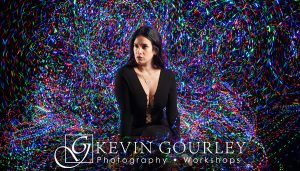
We just announced our new Studio Composite Photo Editing Workshop!  Create your own beautiful images, photograph our model, Audrey, learn the techniques to add amazing and dramatic backgrounds to you photographs.

CLICK HERE TO LEARN MORE
Register soon! Space is limited!

This is the latest in our new ‘Learning by Doing’ Photography Workshop series. Let’s have some fun!

Share

The Thankful Project

Here it’s Friday.  We have just about made it through another busy week!  Thank God It’s Friday!  TGIF!

I am a real believer that we photographers will create better photographs if we intentionally make it a practice to take in ALL the beauty and wonder of the world around us.  The first step in doing that is to STOP TAKING IT ALL FOR GRANTED.

The stuff we take for granted is most likely what we will overlook in our photography. It might be the simplest of things… the daily routine of getting the kids out of bed, making breakfast in a hurry, driving to work, our family, our kids, our parents, our home, our job, our friends, our coworkers, the car we drive, the air we breath, the water we drink, the sunrise each morning, the list goes on and on.

The next time you think you have nothing to photograph, just start making a “gratitude list”.  Think of all the things and people you are grateful for. Then make it your project to photograph those things! You may discover this project will result in your most meaningful photographs, especially later on in life.

So, instead of TGIF, practice gratitude EVERY day.

Kevin Gourley

P.S. Want more ideas on how to be re-inspired in your photography?
Join us for our ‘Rekindle Workshop‘ in 2017!


Share

Give a Photography Class as a Holiday Gift

If you are looking for the perfect gift idea for photographers, you have come to the right place!  I teach a variety of photography classes in Austin, TX, plus some very fun destination workshops! You can give these as GIFTS!

Photography Classes in Austin, TexasOur Austin photography classes are conveniently located in NW Austin, just off Hwy 183.

PLUS A SPECIAL INVITATION
We invite you to come to a free event on January 17, 2017 to an evening with Kevin & Gail Gourley, sharing photos and stories from their adventures in leading photography workshops in Rocky Mountain National Park, Colorado.  CLICK HERE

Please help us spread the word! Share on Facebook and other social media!

Share

Free Event for Photographers

Tuesday January 17, 2017 7pm

Kevin and Gail Gourley have been leading photography workshops in Rocky Mountain National Park for several years. Please join us as we share photographs and stories about our adventures in this magnificent park.

  • The event is FREE to attend!
  • Space is limited!
  • Door Prize Drawing – Discount for future classes!
  • Enjoy photography of mountains, nature, wildlife, waterfalls, and stories about our adventures
  • If you have been thinking about signing up for one of Rocky Mountain National Parkthese workshops, this is a great opportunity to learn more.
  • If you have been on one of our previous Rocky Mountain Photography Workshops, you are invited also!
  • Light snacks and beverages will be provided
  • Location: Kevin Gourley Photography Studio, 11740 Jollyville Rd, Suite 400, Austin, TX

Click Here to Learn More and SIGN UP!


Share

Another Painting with Light Workshop Completed!

We just finished another Painting with Light Workshop last evening.  We had a lot of fun, as usual!  Lots of creativity.  Lots of crazy activities with time and motion and light.  I have included in this post a few images from this most recent workshop.

Painting with LightA student from last night’s class said:

“The Painting with Light class was so much fun! Kevin had lots of ideas to start with but he entertained students ideas also which made for some great photos.”

You’re in luck!  If you wanted to take this class but didn’t sign up before it filled up, you have second chance!  We have another Painting with Light Workshop scheduled for January 15th! 

kg20161204_016 Painting with Light
Here are a few images from our participants in the most recent workshop!

Painting with Light lp-2a lp-3a lp-4a lp-5a

paint_with_light_sjo_161204-0019a paint_with_light_sjo_161204-0020a paint_with_light_sjo_161204-00211a paint_with_light_sjo_161204-0021a

Share

Quality Over Quantity

I was just reflecting on NUMBER of photographs we are all creating these days… thousands, tens of thousands… It’s overwhelming. In fact, it is so overwhelming, that we see articles all the time about optimizing our workflow, tips for maximizing our productivity in cranking out even MORE photographs, presets and plugins that increase our efficiency in pumping out quality images with less editing time.

Don’t get me wrong, we ARE able to create excellent images with the currently available tools, but so much of the focus seems to be on QUANTITY.  We have to get those pictures edited quickly so we can get them posted on instagram, facebook, on our blogs, and a long list of other social media and image sharing websites.  That way we can get our affirmation from the world about how great we are.  We want more “likes” because if we get more “likes”, we must be doing something right. We want to win more online photo contests, because, well more is better, I guess.  (?)

Having learned photography back in the “good old days” of film, and knowing the long hours I spent in my darkroom painstakingly working on creating one good image, I am finding myself sort of missing those days. The focus was more on “let me get this ONE image just right”, rather than the stress of “how do I quickly perfect  these 4000 photographs I took last week on vacation?”  Who the heck is going to look at all those photos anyway? 😉

Sometimes I feel like I am on this treadmill of cranking out more and more images, and someone keeps turning up the speed faster and faster. Who the heck is turning up that treadmill??  Wait, is it ME?

Maybe it is time to slow down, and focus on creating a few great images, and ignore all this talk about optimizing workflows and pumping out large quantities of images.

“Twelve significant photographs in any one year is a good crop.” – Ansel Adams

Dear Ansel Adams, What would you have done in this “digital age” of photography?  Instead of using your view camera, if you were using a digital camera, would you still say that twelve significant photographs in any one year is a good crop? Somehow I think you would have.

Note to self:  S-L-O-W D-O-W-N
Focus on quality over quantity.

Kevin Gourley

Share

Kevin Gourley Photography Workshops, Austin, TX – Austin Photography Classes