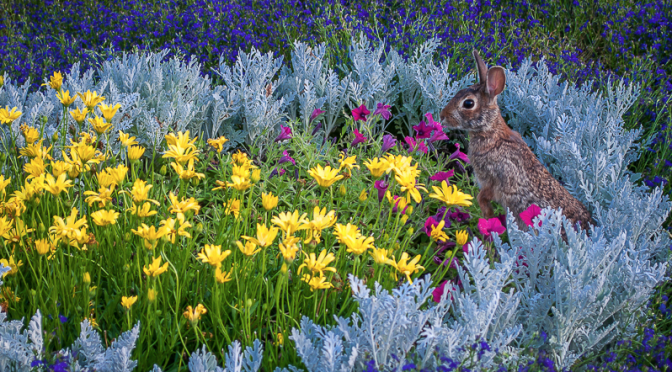
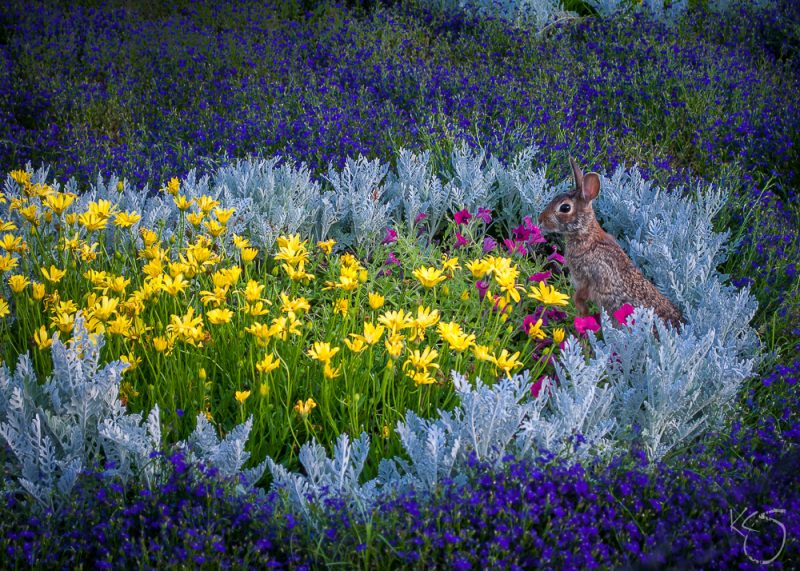
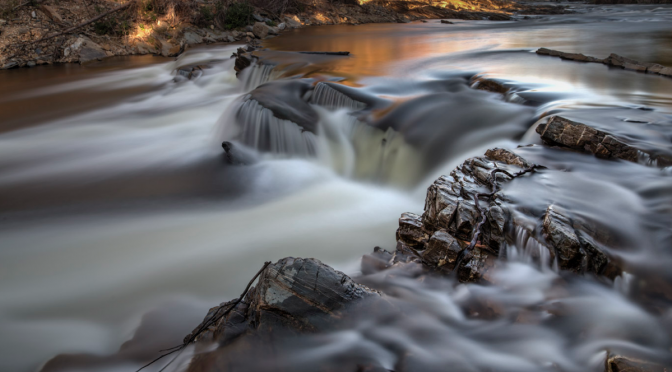
Featured Photographer: Kim Stacey

Your Name: Kim Stacey

Type of Camera: Nikon D7100

What do you love to photograph the most?
My cats, flowers and wildlife

What is one thing you have learned that has improved your photography?
Slow down and be mindful of what you are doing. Watch my shutter speed and backgrounds.

Advice you’d give to others wanting to grow in their photography skills:
Don’t worry about what gear you have. Do the best with what you have. More stuff and better cameras don’t necessarily make better images.

Share

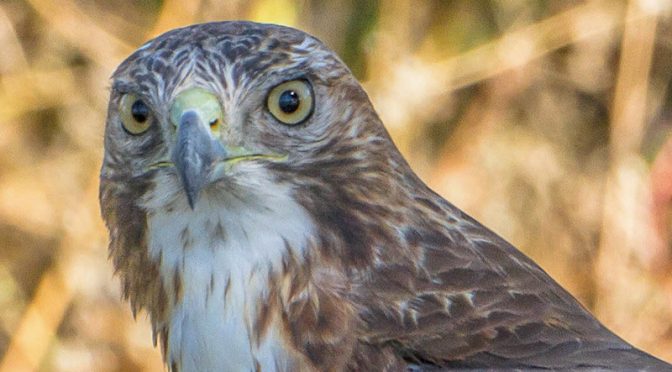
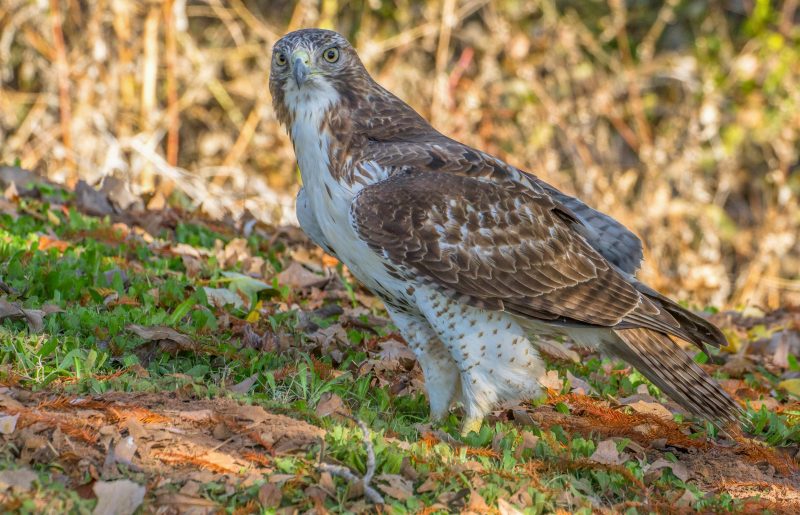
Featured Photographer: Beverly Heacker

Your Name: Beverly Heacker

Type of Camera: Canon EOS 6D

What do you love to photograph the most?
Birds and my grandchildren

What is one thing you have learned that has improved your photography?
Pay attention to what is in the background of the photos I’m taking.

Advice you’d give to others wanting to grow in their photography skills:
Take some classes from Kevin Gourley.  He is amazingly patient, kind, understanding, talented, and knowledgeable.  He also makes you feel comfortable and no question is a dumb one. He provides handouts and gives homework.  And his classes are fun.

Share

Image Stabilization = Sharper Images

All camera brands offer some form of image stabilization. The technology is wonderful! Whenever you are using slower shutter speeds while holding the camera, hand vibration will cause some amount of motion blur, making the image less sharp. In these situations, image stabilization can really help. Images that otherwise would turn out a little soft (unsharp) will be much sharper with image stabilization.

Every camera and lens manufacturer calls this technology something different, adding a little confusion. Canon calls it Image Stabilization. Nikon calls it Vibration Reduction. Sony calls it Super Steady Shot. Tamron calls it Vibration Compensation. It’s all basically the same idea.

The different manufacturers implement this feature in different ways. Some have it built into the camera body, and others build it into the lens. Canon and Nikon build it into their lenses. The catch is, not all lenses have this feature. Generally, lenses that have this feature cost a bit more than ones that do not. I personally believe it is worth the extra cost.

Usually the manufacturer will indicate the degree to which their stabilization will help. For example, they may say a lens offers “3 stops of image stabilization.” To know what is meant by that, you have to consider a basic rule about what shutter speed is sufficiently fast to freeze any motion blur introduced by hand movement/vibration.

That rule says the shutter speed should be at least 1 / focal length when using a camera with a “full frame” sensor. So if you are shooting with a 200mm lens, you should ensure the shutter speed is at least 1/200th second or faster. Or if you are not using a camera with a full frame sensor, such as a camera with an APS-C sensor, then you need to take into account the sensor “crop factor” (typically 1.5X on most Nikons and 1.6X on most Canons with APS-C sensors). That means with that same 200mm lens on a Canon Rebel DSLR with a 1.6X crop factor, is effectively producing images that look like they were shot with a 1.6 X 200mm lens (320mm) and you should really shoot at least 1/320th second or faster.

Now, back to that lens that says it offers “3 stops of image stabilization”. If you are shooting with a 200mm lens they mean you can break that shutter speed rule I mentioned above by three stops. A stop is a photography term referring to the doubling of the light. So, in terms of the shutter speed, “one stop” means making the shutter speed twice as slow, like going from 1/200th to 1/100th.

If you are using a 200mm lens on a full frame sensor camera, you should normally try to shoot at 1/200th second or faster. If the lens offers “one stop” of image stabilization, then you can get away with shooting at 1/100th. If it offers three stops of image stabilization, you can theoretically shoot at 1/25th second! (1/200th -> 1/100th -> 1/50th -> 1/25th). Wow!

Just note that it is probably risky to go that far with trusting the image stabilization to sharpen up a slow shutter speed shot, but it sure helps having that feature when you simply must use a slow shutter speed hand-held, like when shooting in a low light scenario. If it turns out the image stabilization just isn’t getting the job done well enough, that means it is time for you to shift to a higher ISO which will enable you to shoot at faster shutter speeds.

One more note about terminology you might encounter:  Sometimes you might see the term “EV” used instead of “stops.” They mean the same thing. “EV” stands for Exposure Value and technically is the more accurate term when talking about varying shutter speeds. A “stop” normally refers to the aperture values, but when we are talking about shifting shutter speeds by an amount that is the equivalent of adjusting the light by one f/stop, that is said to be an adjustment of one EV. Still, you will find many manufacturers talk about the image stabilization in terms of stops instead of EV’s. It’s all the same.

Also, note that lenses that offer image stabilization have an off/on switch, and some offer more than one mode of operation. Check the manual that came with your lens for more information about its features and any limitations. For example, the reason they have an off/on switch is because when you are shooting on a tripod, you should turn off the image stabilization.  Again, check your manual for more information about that.  Just remember to turn the image stabilization back ON when you are shooting hand-held!

This feature is so important; you really need to make sure you know how to use it!  Using this technology will help ensure you get consistently sharper hand-held shots! It’s a “must use” feature!

Image Stabilizer Example

Share

Featured Photographer: Bob Brandt

Your Name: Bob Brandt

Type of Camera: Canon EOS 6D

What do you love to photograph the most?
Creative Portraits

What is one thing you have learned that has improved your photography?
Studio lighting techniques.

Advice you’d give to others wanting to grow in their photography skills:
Never stop learning! There are so many classes you can take to advance your photography skills. Don’t stop taking them. I’ve taken many of Kevin’s classes and look forward to signing up for more!

Share

Featured Photographer: Kevin Gourley **NEW!

Hi!  I have added a new section to my blog called “Featured Photographers” where I will be featuring different students of my workshops and their work.  I am featuring myself first, just to demonstrate how this works.  Stay tuned for other photographers featured over time! 🙂

Your Name: Kevin Gourley

Type of Camera: Canon EOS 6D and 5D Mk II

What do you love to photograph the most?
I love all types of photography (nature, landscapes, portraiture, studio work, dramatic imagery), but what I am finding most fun these days is producing ‘composite’ images where I combine different images in Adobe Photoshop to creating a scene that never existed.  The image below is a composite from an image shot in studio with a daytime image at a mission in San Antonio shot with an iPhone and then turned into a night scene with more dramatic lighting.

What is one thing you have learned that has improved your photography?
Pay attention to the LIGHT. Better light = better photographs.

Advice you’d give to others wanting to grow in their photography skills:
Practice! Learn from others. Practice some more!
(Shameless plug: Take my classes! 😉  )

Share

New Class on Tuesday Nights Beginning April 18th – Help Me Choose!

I am considering what classes to offer next! Help me choose!

I have several classes already scheduled that are coming up soon.
Several have early registration discounts ending VERY soon!
Click here to see those.

YOUR INPUT MATTERS: I am considering which class to offer next on Tuesday nights, beginning April 18th for several weeks.  If you have been waiting for me to add another evening class, and that Tuesday Night option works for you, please let me know if you would sign up for one of these classes: (let me know which one!)

Photography 101 – Fundamentals of Great Photography
This is a great starting point for your photography learning.
6 two-hour classes.  $299 if you register early.

Photography – Mastering the Fundamentals
A good next step after taking Photography 101. Dig deeper into the important technical details of photography.
4 two-hour classes – $299 if you register early.

Light & Photography Workshop
Highly recommended for all photographers. Learn how to manage light to create the best images!  This is also a great next step after taking Photography 101.  Learn how to use your electronic flash, and so much more!!
6 two-hour classes -$349 if you register early
+ optional Studio Lighting Workshop session with pro models
add: $140

Adobe Lightroom Workshop
Learn how to best organize and edit your images with Adobe Lightroom!
4 three-hour classes – $329 if you register early

Just email me ASAP at kevin@kgphotoworkshops.com with your preference for which class to add on Tuesday nights beginning April 18th.  I will make a decision very soon based on responses.

Thanks!

Kevin Gourley

Share

My Top 6 Lessons Learned in Photography

I was thinking about the various things I have learned about photography over the years. What did I learn?  How did I learn it?

I thought it might be helpful to share some of my insights about my top 6 lessons learned. Most of these things I either learned from other instructors or sometimes from making horrible mistakes. I don’t recommend making horrible mistakes, but that is sure one way to learn a lesson. 😉

Lesson 1
Pay attention to what you are doing and get it right in camera.

This lesson was something I learned a long time ago (like 35 years ago)!  I think it was really beneficial that I started out in photography back in the days of film.  I shot many many rolls of Kodakchrome 64 slide film.

After I took a series of photographs, I had to send the film off to Kodak to be processed.  With slide film, the developed film is then cut into individual photographs that were placed in cardboard mounts and I would have to show the photos using a projector.  So the photograph I saw in the slide was the actual image I created in the camera.  Whether or not I properly exposed the photograph, I would see the results. There was no faking it.  If I did a bad job, my slide was ruined. I had to get it right.

The fact that the results were not immediate (because I had to have the film developed) meant that I really had to pay attention to what I was doing, otherwise I was wasting a lot of money.  As a student in college, I didn’t have much money, so I payed attention.  My meticulous attention to details (because I had to save money) made me a better photographer.

Even in this digital age, it is much better to get your photograph right in camera rather than just leaning on “fixing” the image after you took it. If you start with a well-exposed shot, you will always end up with a superior end result.

kodachrome

Lesson 2
Manage the shutter speed carefully.

Depending on the light available, ISO, and aperture you have chosen, you will end up with some shutter speed value. I learned this the hard way, but I learned it:  If I do not have the shutter speed fast enough, the photo will not be sharp because of hand vibration / movement.  The general rule of thumb for hand-held photography is to make sure the shutter speed is at least 1 / focal length (of the lens). If you are shooting with a 70-200mm zoom lens with it zoomed to 200mm, then make sure your shutter speed is at least 1/200th second. Technically that rule is for a full frame sensor camera. For a camera with an APS-C sensor, you should modify that rule to take into account the “crop factor” of your camera (usually 1.5 for Nikon and 1.6 for Canon).  A 200mm lens on a Canon Rebel would effectively be 200 x 1.6 = 300mm. So make sure the shutter speed is at least 1/300th second.

Many lenses these days (and some camera bodies) have image stabilization that allows you to break these rules a bit.  So the rule is approximate.

You also need to take into account the movement of the subject. If there is a lot of movement of the subject, you may need to use a shutter speed even faster than the rule of 1 / focal length.

Lesson 3
Manage the depth of field.

You are in control of the depth of field through your choice of aperture. The depth of field is the range that appears to be sharp in front of and behind where you focused.  Choose carefully depending on whether you want a deep or shallow depth of field.  A low f/number yields a shallow depth of field. A high f/number yields a deep depth of field. This is something you should think about in every shot you take because you are in control. Don’t let the camera decide for you. It is just a machine. It has no idea what you want unless you tell it, by controlling the aperture.

Lesson 4
Change your perspective.

Sometimes it is good to just stop looking at the world the same way you always see it. Change your position and angle. Mix it up a bit. Look up.  Look down. Look behind you. Raise your camera way up high. Put it down on the ground. Sometimes that change in perspective will lead to a shot you would have missed.

Lesson 5
Light is ultra important.

Pay attention to details about the qualities of light including angle, direction, number of light sources, light ratio, diffusion, reflection, shadows, etc. A photograph is created by light. It is the most important ingredient in any photograph. Better light leads to better photographs. Master lighting techniques and I can guarantee your photographs will improve. That is true whether you are in control of the light using flashes/speedlights or shooting with natural light. You can’t really control the light in nature, but you can come back to a location at a different time of day or time of year and the light will be different.

Lesson 6
Practice, practice, practice.

There is no substitute for practice.  Keep taking pictures.  Assess the results. Make mistakes and learn from them. Just keep shooting. The more you do it, the better you’ll get. Take classes. Learn more. Do more and your photographs will improve. As Henri Cartier-Bresson said, “Your first 10,000 photographs are your worst.”

Yes, there is more to it…

I could keep going, but this is all for now.  Post processing your images (editing on the computer) is also quite important to add the finishing touches to take your photos from “good” to “great,” but it all starts with what you do with your camera. Get that right first.

Happy Picture Taking,
Kevin Gourley

Share

This Has Nothing to do with Photography OR Does It?

Many of you who have taken one of my Photography 101 Workshops know that I believe it is important for us photographers to study different forms of art.  Seek inspiration in music, painting, sculpting, dance, poetry, … all art.

One aspect of art that inspires me the most is when I see someone doing things completely different, coloring outside the lines, thinking outside the box, or however you want to put it.

Watch the video and then think about YOUR art.  What might you do DIFFERENTLY? What might you CREATE using an approach completely different from everyone else?

I love the creativity behind this endeavor described in the video, even though it really has nothing to do with photography.

Be creative. – Be different. – Be you.

Happy Picture Taking!

Kevin Gourley

Share

Pixelstick Fun!

PixelstickI hosted a class the other night demonstrating the use of a PixelStick!

This is a nifty device that is used in light painting. The stick is a little over 6 feet long and has a strip of 200 LEDs that are controlled by a microprocessor that can generate over 16 million different colors at each location.

It can display all sorts of cool patterns and effects, plus you can also load images on an SD card (in Windows BMP format, 200 pixels in height) and the stick can “paint” the image as the user sweeps the Pixelstick across the air.

Here are some examples shot outside our studio at night.  All of these images were totally created in-camera (no Photoshop involved).  The possibilities are endless!

No, the fence is not on fire. The Pixelstick can “paint” artificial flames!  So very cool

Want to know more about the Pixelstick? Check out their website: http://www.thepixelstick.com

Happy Picture Taking!

Kevin Gourley

Share

Kevin Gourley Photography Workshops, Austin, TX – Austin Photography Classes