Category Archives: Photography Tips

About My New Book: “30 Practical Tips for Better Photographs”

There are a lot of photography books on the market. I decided there is room for one more!  I wrote this book with a specific intent in mind: Focus on the major problems that often mess up people’s pictures and provide tips on how to avoid those problems.

While I explain how to take the steps necessary to ensure you’ll create better photographs, you’ll also be introduced to all of the important fundamentals of photography! I also offer homework assignments with each chapter to give you a chance to try out what you’ve learned to help reinforce the concepts being taught.

Where did I come up with “30 tips” and why these tips? I could actually write a few hundred more, BUT I came up with these after years of teaching photography classes and realizing that many photographers struggle with the same set of issues and this book addresses those issues.

The chapters in this book are applicable regardless of the type of photography you do, whether it is portraiture or landscape photography or sports or anything really. I hope you find it helpful!

Available now on Amazon!

Share

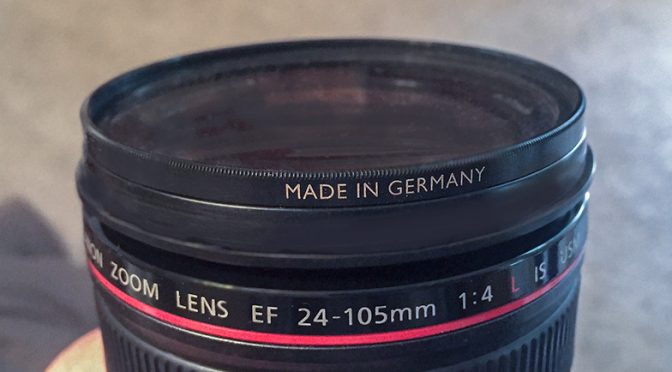
Sometimes A Filter Might Get Stuck on Your Lens!

If you use filters on your lenses such as UV Haze Filters, ND Filters, Polarizers, etc., you might occasionally discover your filter simply will NOT come off!

I have known many photographers who have encountered this problem, and it never seems to happen at a convenient time.

No matter how much you try, the filter just won’t budge and you now are stuck with a filter mounted on your lens whether you want it or not. This is an especially bad circumstance if the filter that is stuck is a 9 stop ND filter because it would render your lens almost useless until you remove it.

Sometimes the problem is you may have just screwed the filter on too tightly, or some cheaper filters might bend easily and bind and get stuck. Or if you drop your camera, you may find the filter just won’t come off. Or the problem might be slight corrosion or dirt. Or the problem might be that you did not have the filter on straight and damaged the threads.

If you want a tool to remove a stuck filter, there are a variety of different tools out there that can help! I thought I should mention that, just in case you weren’t aware!


There are other brands. I just thought I would show a few.

Sometimes, a jar lid remover can help remove a stuck filter!

Share

Dealing with Water Damaged Photographs

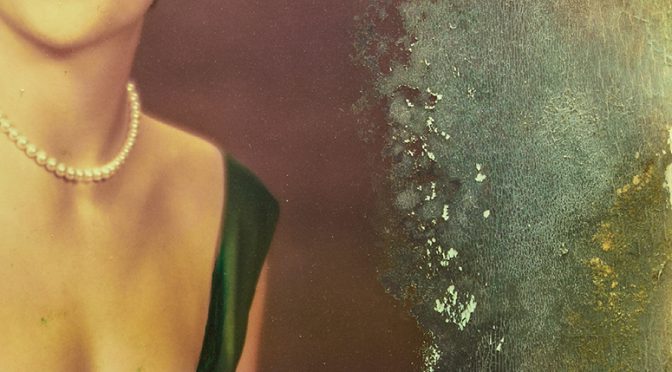
When we experience a flood, so many of our personal items are damaged. The whole experience can be quite overwhelming. Keep in mind that even though many of our “things” can be replaced, our photographs can be severely damaged by water, mud, etc. and not so easily replaced.

If your have water damaged photographs, I encourage you to deal with the damage as soon as possible. Especially if you have a stack of photographs that are all wet, you must take action quickly.   If you let them dry, the process of separating the images can be quite tedious and permanent damage is much more likely.

How you deal with water damaged photographs depends on how the print was made.  If the photograph was made using the traditional photographic process, it was originally developed in water-based chemicals and you can use water to rinse and clean and possibly separate the photographs. If the photograph was printed by inkjet or other type of computer printer, the paper used may be damaged by water way more quickly, so especially be careful.

If you are unsure whether rinsing with water might damage the print further.  Try putting a little water on just one of the prints and test it first.

The first step is to carefully try to remove as much dirt as possible. Then use care to gently flow water over the prints to clean them.  What type of water should you use?  Some folks say tap water.  Others say you should use distilled water.  Either way, it is safer if you use cool water (not hot water).

Use extreme care to not damage the emulsion on the prints.  If it is stack of photographic prints stuck together, you can soak them and then attempt to ever-so-gently peel them apart, starting with the photo on top.  Once the photographs are rinsed, cleaned, and separated, then lay them out to air dry separately.  Having air flowing over the top and bottom is best. (Idea: you could use a non-metal window screen to lay them on).

This is such a tedious process. Use caution, and before you try to do this yourself, I would highly recommend you read some of these great articles posted on the web by these authorities on the subject:

I do photograph restoration as part of my business, by creating a digital master copy of the damaged photograph and then use software to “repair” the damage and make a new print.   Digital repair may be the only option to really fix the photograph once it has been damaged. Before you resort to this, though, at least take every effort to deal with the water damaged photographs as soon as possible so you can minimize the long term damage.

Our photographs mean so much to us. When our homes are flooded, we can sometimes repair the home, or buy new furniture, but we can’t buy new photographs.

If your home was flooded, I hope your photographs survived!

Share

Light Metering – Incidental vs Reflected

I often get questions about light metering, and the confusion between “incidental” and “reflected” light metering.  I was responding just this morning to a question via email and thought I’d go ahead and include my answer here as well, in case this might help any of you!


Reflected Light Meter:   Measures reflected light.  This means you point the meter at the scene being photographed.   This measures the brightness of the scene you are looking at, and comes up with exposure values so that the photograph created will be the right brightness.  Unfortunately, this approach does not know whether the scene is a black wall or a field of snow.  The reflected light meter just makes an assumption about how bright the resulting elements in the photograph typically should be, often in some middle gray value because that is generally true, though not always true.  Many sources say Ansel Adams came up with the 18% gray as being the perceived brightness of a middle gray value.  This is somewhat subjective, but that became the (approximate) standard.  The problem with that approach is that the meter has absolutely no idea how bright the photo should ACTUALLY be, so it just assumes most of the time, the main elements of the photograph are somewhere in the middle gray range, not white, not black. The meter therefore assumes the point of reference of 18% gray is the right brightness for the photograph.  Since it is calibrated based on that assumption, it provides shutter speed and aperture value recommendations so that the thing being metered turns out to be mid gray. So, if you are metering off a target that is 18% gray, then the meter will give you a pretty accurate exposure setting so that the gray target turns out gray, and everything else in the photo that is not gray but is in the same light will turn out to be the right brightness as well, white will be white, black will be black, gray will be gray, as long as you meter off the thing that is gray.  That is where the camera’s different “Metering Modes” come into play, because you can control where the camera meters on elements in the scene since that is critical for reflected light metering.  This is also why cameras have settings like “Exposure Compensation” to allow you to adjust when the camera’s reflected light metering gets the answer wrong.   Also electronic flash (Speedlight) TTL metering is based on reflected light metering, therefore handheld incidental light metering is not involved in TTL flash photography.


Incidental Light Meter:  Measures light shining on the subject.  This means you point the meter at the light source.  With this type of meter, the color of the subject in the photograph is not relevant.  The subject can be white, gray, black, anything.  The basis for the measurement is only determined by how much light is needed by the sensor or film and that is solely determined by the ISO value. The ISO value determines the quantity of light needed.  The incidental light meter measures the light and determines how much light should be allowed on the sensor through controlling the aperture and shutter speed.   This is a very accurate approach.   It ensures white turns out white, gray turns out gray, and black turns out black.  Ultimately, the proper exposure for a photo is based on two things:  1) The amount of light required by the sensor which is determined by the ISO, and 2) the amount of light shining on the subject.  A gray card is not even relevant with an incidental light meter, since it is not involved in determining the exposure.  Only the light shining on the subject and the ISO matters.

No Meter:   Since an accurate exposure is actually based on the amount of light shining on the subject and the ISO, you can even determine an accurate setting without a meter.   If the light shining on the subject is direct sunlight, you can set the aperture to f/16 and the shutter speed to 1/ISO and obtain a correct exposure without any meter involved at all  This is often called the “Sunny 16 Rule.”

Hope this helps!
Kevin Gourley
Share

Using Adobe Lightroom to Edit a Nature / Landscape Scene

Hi friends!

Here’s a short video demonstrating the use of Adobe Lightroom CC to do some quick enhancements of a nature / landscape scene.

Also, I am considering adding another Adobe Lightroom Workshop at my studio in NW Austin on August 28, 29, 30, 31 2017 9am-Noon each day.  The price is $349 for 12 hours of very hands on instruction in a small group setting, teaching the use of Adobe Lightroom.

If you would like me to add the course, please let me know ASAP!   Click Here to let me know!

Now, here’s that video I was talking about:

Share

A Few Lightroom Edit Examples

We just got back from our Summer Rocky Mountain Photography Workshop!   What a great experience. We had a lot of fun as we went out photographing mountain scenics, waterfalls, wildlife, wildflowers, and sunrises, etc.

I thought I’d post this short video to demonstrate a few post-processing examples using Adobe Lightroom.  If you don’t know what “post processing” means, it just refers to what you do with your photograph AFTER you take the photo. It includes the editing you might do on your computer to improve your photograph.

For this example, I intentionally picked one of the more hazy shots rather than one of my “good shots”, just to demonstrate that you can do a LOT to enhance your photographs in Lightroom. Even if you have a photo that you might have quickly skipped over upon initial review of your shots, you might still find it has potential to be made “better” with just a few simple edits in Lightroom.

Note that all of my photographs were shot in “RAW” mode. Therefore the photographs will initially appear in Lightroom as minimally processed/enhanced images. That is because you are supposed to use Lightroom’s many features to enhance the photo. That is entirely different than when you are shooting in JPG mode. When you shoot in JPG mode, your camera might do all kinds of things to enhance the photo in-camera, especially if you are using options such as the “Landscape” Picture Style (Canon) or Picture Control Setting (Nikon), which dramatically enhances the colors.  With RAW mode, your image file will have substantially more color and brightness information embedded within the file but you are expected to use Lightroom (or other RAW processing program) to make the adjustments and enhancements using software to bring out those colors, enhance shadow details, make white balance adjustments, tone down highlights, etc.

Anyway… on to the video.  I chose an unremarkable shot and demonstrate some Lightroom enhancements to improve the shot.  I hope this helps you!

(Remember you can click on the little link in the lower right corner of the video to bring it up full-screen.)


We’ll be announcing our 2018 Rocky Mountain Photography Workshops very soon!  Our 2017 workshops are totally sold out.  You can click here to learn more about these workshops.

Share

Photographing Fireworks

Hey gang!  I love photographing fireworks! I thought I’d share a few tips that will help you get better fireworks photos.

The two most important rules are:

  1. Be safe
    If you are working with your own fireworks, safety is of utmost importance. You sure don’t want to spend your evening in the emergency room, or watching a firetruck putting out the fire on your roof.  I am sure you know this already. 🙂
  2. Have fun
    Photographing fireworks is a lot of fun. I just had to list this as the #2 important rule because safety simply has to come first!

Reminder: Independence Day Special Offer!
Register for my Photography 101 Workshop by July 4th,
and SAVE $50!

Ok, Now Do I Need to State the Obvious?

Well I guess I’d better.  Make sure your memory card has plenty of room for the photographs you are going to take, and make sure your battery is fully charged.  The last thing you want to have to mess with is fumbling around in the dark in your camera bag for a spare battery or memory card once the fireworks show is under way!  You DO have a spare battery and memory card, don’t you?? 😉

Think About Placement Ahead of Time

When you are going to photograph a fireworks show, think about the location you are choosing for doing the photography.

    • Think about where the fireworks will go off
    • What’s framing your photos?
    • Pay attention to any distracting lights (streetlight?) that might be in the photos once nightfall arrives
    • Pay attention to distractions along the horizon
    • Think about how horizontal / vertical oriented shots will look at that location
    • Remember, shooting into an Eastern sky will generally be darker than shooting into a Western sky since fireworks shows typically start right after sunset.
    • Once you have lots of people there to watch the show, will there be people in front of you possibly blocking your view?
    • Which way is the wind blowing?  For example will the wind blow the fireworks smoke toward you?  If so, that means you will be photographing through the smoke!  Think about that when setting up.
    • The first fireworks have less smoke, but it might become more of an issue the longer the fireworks show goes on, and depending on your vantage point and wind speed.

Use a Tripod

You simply must use a tripod when photographing fireworks! Use a good stable tripod that is not at all wobbly, and make sure you do not touch or bump the tripod while you are photographing.  If you do, there will be a wobble in the fireworks streaks.

You might be enjoying the music of John Philip Sousa, but whatever you do, don’t start tapping your feet on the leg of the tripod while listening to “The Stars and Stripes Forever” as you photograph the fireworks!!  😉

Also, if you happen to be shooting from a wooden deck, be careful!! If your tripod is on a wooden deck, every little vibration will get transferred to the tripod, then to the camera, and it will cause little “wiggles” in the streaking lights in the photos.

A Flashlight Comes in Handy

Having a small flashlight or even the flashlight on a smart phone can be really handy so you can see the buttons on your camera.

Camera Settings

Most fireworks photography involves using time exposures with your camera mounted on a tripod.  Here are the general settings you can use.

  • Tripod: Like I said above, make sure the camera is on a tripod!
  • Exposure Mode: Use Manual Exposure Mode
  • Focus: Switch the lens to Manual Focus and focus the lens on infinity (and double-check this often, because it is easy to bump your lens focus ring and get the shot out of focus). Auto focus simply will NOT work for fireworks photography!
  • Lens Focal Length:  I find most of my shots are in the 24mm to 100mm focal length range (on a full frame sensor camera).
    • If you have a camera with a smaller sensor, for example an APS-C sensor, take into account your sensor’s “crop factor”.
    • If you don’t know what any of that means, just shoot more wider-angle shots, and judge how much you zoom in based on the shots you are getting.  Try some telephoto (“zoomed in”) shots also!
    • Make sure you take into account leaving enough room for high-rising fireworks.
  • ISO: Stick with your lowest ISO settings like 100 or 200
  • Aperture:  I have found most fireworks photos work well with an Aperture value set to between f/8 and f/22.
    • The more you open the aperture (lower f/number) the brighter the fireworks are
    • The more you close down the aperture (higher f/number) the darker and richer the colors are in the fireworks
  • Shutter Speed:  Usually 2.5 – 20 seconds is fine
    • Or you could use Bulb Mode to indefinitely open the shutter while the shutter released button is pressed.  I tend to prefer just picking a shutter speed.
    • What is different from normal photography is how the shutter speed affects the fireworks photographs.  Normally, if you open the shutter for longer times, the image gets brighter.  It is different when you are photographing moving streaks of light.
      • Slower shutter speeds cause the streaks of light to be longer
      • Faster shutter speeds cause the streaks of light to be shorter
  • Triggering the Shutter:  Exercise caution in causing any wobble from pressing the shutter release button because that wobble will be recorded in the photograph as the streaks of light will be wiggled.  You can avoid this by:
    • Use a remote shutter release (wireless or wired), OR you can
    • Set the camera shutter on a 2 second delay. That way you can press the shutter release button and then take your hands OFF the camera until it has finished taking the photograph.
  • Long Exposure Noise Reduction: Your camera has a feature called Long Exposure Noise Reduction.  While it IS useful for reducing digital “noise” (graininess) in longer exposure shots, it can be a bit frustrating when photographing fireworks.  The camera will do its long exposure noise reduction process in proportion to the length of time of the photograph. So, if you take a 20 second photograph, once the exposure is complete, it will take another 20 seconds to do the noise reduction.  That means your camera is busy doing image processing and is not available to take another photograph until it is done. Since fireworks shows only last for a short period of time, you might consider turning off the Long Exposure Noise Reduction and just apply noise reduction on your computer (for example in Adobe Lightroom).
  • Pay attention to the results you are getting and make adjustments as needed!  If the photos are too bright, close down the aperture (higher f/number).  If you want the streaks of light to be longer, shift to slower shutter speeds.

Note how changing the aperture value changes the brightness of the fireworks, but the lengths of the streaks of light are about the same because the shutter speeds are the same:

fireworks photography


Note how changing the shutter speed changes the lengths of the streaks of light:

fireworks photography


fireworks photography

One more fun thing you can try is Light Painting!

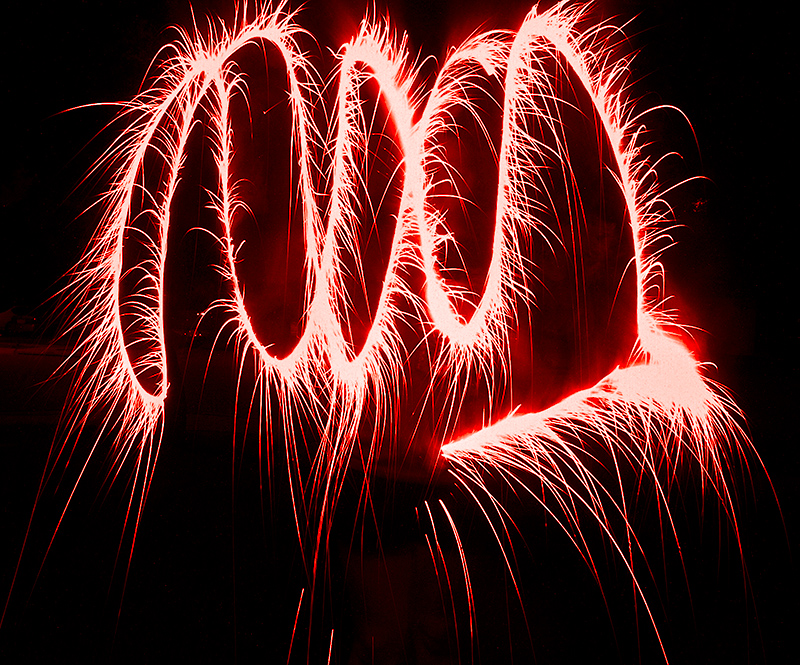
With your camera on a tripod and the shutter speed set to 30 seconds, go out in front of the camera and swirl around sparklers and play with “light painting.”  It is so much fun!

fireworks light painting

Now, go out there and have fun!  And remember, BE SAFE!

Kevin Gourley


© Kevin Gourley Photography, Austin, TX

Share

10 Steps on the Path to Better Photography

If you want to improve your photography, here are some practical  suggestions:

  1. Don’t Skip Over “The Basics”
    Lot’s of people just use their camera in fully automatic mode and never take advantage of all of the wonderful capabilities built into the camera.  The first step to better photographs is to understand the fundamentals of photography and how to operate your camera.  I offer a Photography 101 Fundamentals of Great Photography Course that is a good starting point.
  2. It’s Really About the Art of Photography
    While it’s tempting to think that advanced photography is about all that geeky stuff like apertures, shutter speeds, depth of field, exposure compensation, white balance, (I could go on forever), the real goal is the art of photography.  The technical stuff is just the means to that end.  The more you know the technical stuff, the more you are able to create what you envision and you are no longer at the mercy of the fully automatic modes that limit your control.  In my Photography 101 course, I don’t just focus on the technical side.  We also explore a bit about the art of photography and about the meaningfulness of this art form in our world.
  3. Advance Your Skills, Advance Your Art
    I can only cover so much in Photography 101.  There are numerous more advanced techniques to further enhance your photographic skills which I cover in my Photography: Mastering the Fundamentals Workshop.  That’s a day long class where we push deeper into important technical aspects that can help you create consistently better photographs.  Again, the whole purpose for this focus on the technical, is to eventually move beyond the technical, to the art.
  4. Have You Stopped Progressing in Your Photography?
    If you keep focusing on doing the same thing, you’ll keep getting similar results.  It is really important to push yourself beyond your current skills, to explore different aspects of the art and science of photography.  I have a workshop for that, called Rekindle, which I offer upon request. We just need a few students to organize a session of this great class. This might be just what you need to break out of “doing the same old thing.”
  5. It’s Sure Not About the Megapixels and Fancy Gear
    You’ll find that beautiful art, captivating images do not have to be created with high megapixel cameras and the finest lenses.  Good art is about composition, light, balance, proportion, story telling, posing, timing, concept, emotion, none of which has to to do with megapixels.
  6. Don’t Upgrade Your Gear Until You Know Why You Are Doing It
    Slick marketing and dazzling lists of “features” can tempt us to go out and spend thousands of dollars, only to find our photographs aren’t any better. You might be lured into buying a new camera, when in fact a specific lens might be more helpful. Or maybe what you need to do is buy a new tripod instead of a new camera or lenses. Yes there are compelling reasons to buy new gear, but be sure you know what problem you think you are solving by making that purchase, otherwise think twice.
  7. Before and After Firing the Shutter
    I am a big believer in getting the image right in-camera as much as possible.  Pay attention to those factors that ensure excellent images, the right depth of field, an appropriate shutter speed, all kinds of camera settings, BUT this does not mean your job is done once you fire the shutter! You can do SO much to enhance images and to create beautiful digital art using Adobe Lightroom and Photoshop and other software and image editing plugins. I offer classes in both Adobe Lightroom and Photoshop, usually adding them as students make requests for more classes.
  8. Explore Other Aspects of Photography
    Keep pushing yourself to try new things, such as High Dynamic Range Photography and Painting with Light and other fun activities.
  9. Study Light
    This is really important: STUDY LIGHT. The more you focus on getting the light right, the more you will find your photography improving.  Light is beyond the camera. It is out there, in front of the camera. It’s not a camera setting, although camera settings DO matter.  Managing light, shaping it, softening it, diffusing it, reflecting it, blocking it, enhancing it, coloring it is all part of the job of creating better images.  And… by the way… I have a class for that:  Light & Photography Workshop 😉
  10. Make Mistakes
    Push yourself. Challenge yourself. Don’t just keep doing what you have always done. Go beyond that. Make mistakes, and then learn from your mistakes.  If you are not making mistakes, you are not pushing yourself hard enough.   Try things you have never tried before. Expand your skills and learn more.
Share

10 Common Problems Photographers Encounter

Since I have taught so many photography workshops, I’ve seen all kinds of problems photographers regularly encounter.  Some are minor problems, while others are really big deal total show-stoppers! I decided to pull together this list of 10 common problems. Trust me, there are more, but 10 just seems like a good number to discuss for now. 🙂

  1. Shutter speed was not fast enough for a hand-held shot and the result was a photograph that was not sharp.  It looked like it was maybe out of focus, but the real issue was motion blur because you can’t possibly hold the camera still enough to shoot at a slow shutter speed.  This is by far the biggest problem I see photographers encountering.  The solution is simple.   Make sure the shutter speed is fast enough by using this as a guideline:  Keep the shutter speed faster than 1 / focal length of your lens.  (So, if your lens is zoomed to 200mm, make sure your shutter speed is at least 1/200th second.) That is an approximate rule, but it really will make a difference.  If your shutter speeds are not fast enough, shift to a higher ISO and that will allow you to shoot at faster shutter speeds.
  2. Image Stabilizer/Vibration Reduction was not turned on.  If your camera supports this feature, by all means USE IT!  But only use it when you are shooting hand-held. When using a tripod, turn it off (and then the real killer: remembering to turn it back on again when you take the camera off the tripod).
  3. The camera did not focus where YOU wanted it to focus. This is usually because you are trusting the camera’s auto focus system to always make the right decision of where to focus.  You can help it focus on precisely where you want it to focus by changing its configuration to focus on only one focus point instead of having all focus points active (check your manual). Focusing with a single active focus point gives you the ability to always ensure you focused EXACTLY where you wanted to.
  4. As you take a series of photos, you might encounter the brightness of each photo varying wildly from light to dark, even though it is the exact same scene.  Even just small movements of the camera might produce exposures what are way off, sometimes really bright, sometimes dark.  If this is happening, you are most likely shooting in “Spot Metering” mode and don’t realize it.  If you don’t know how to use spot metering, read up on it in your manual, and in the meantime, switch your camera’s metering mode to something more general purpose such as Evaluative Metering on Canon or Matrix Metering on Nikon.
  5. Let’s say you take a photo and it appears at one brightness. Then the next shot of the same scene appears brighter. Then the next shot appears darker. Then the next shot appears normal again, and it seems to keep going through that sequence. If you see that happen, your camera is probably set in a mode called “Auto Exposure Bracketing”. Check your manual to turn it off, if were not intending to exposure bracketing!
  6. Your image appears to be too yellowish/amber when shooting indoors. If that happens, it is most likely because your camera’s Auto White Balance feature just didn’t quite do its job well enough. In that circumstance, you could change the white balance setting over to the light bulb (“tungsten”) setting.  That should clear up the problem.  Remember to set it back to Auto White Balance for your other shots though (or always set the white balance setting to the appropriate lighting option, if you want to always manage it).
  7. You point the camera at a scene and press the button to take the photo but your camera refuses to fire the shutter.  Whenever that happens, it is a problem with the focusing system!  It is trying to prevent you from taking the photo because it can’t figure out where to focus! That usually happens if you are pointing at smooth surface like a smooth wall, or maybe blue sky. It might be because you only have one focus point active, and that point happens to be over an area that is smooth and has no edge details to focus on.  Your camera’s focus system needs to see edges and details to be able to focus (usually).
  8. Your camera may seem to be malfunctioning and not be able to control the aperture of the lens or the focus system. If that happens, make sure the lens is properly mounted on your camera and firmly “clicked” into position, locked onto the camera body.  Also this might happen if the electrical contacts on the lens are a little dirty or corroded.  You might try cleaning then by simply rubbing a pencil eraser on them for a little bit.  Ultra Important: Be careful if you do that, to blow away any of the eraser particles. You do NOT want to get any of those particles inside your camera body!
  9. If you keep seeing soft dots in certain parts of the photograph, especially noticeable in the sky, and they keep appearing in the same positions from shot to shot, you have dust on your sensor. Your camera probably has a built-in sensor cleaning capability which helps some, but it can’t keep all the dust off the sensor. If it is particularly bad, you can send it off to the camera manufacturer to have the sensor cleaned, or some camera stores do this. You can also clean the sensor yourself, but be REALLY careful if you do that. Read up on how to clean your sensor yourself, and make sure you take all precautions to not damage your camera.
  10. If your photographs consistently are turning out to be a little too bright or too dark, and if you are shooting in Aperture Priority, Shutter Priority, or Program Exposure Mode, check to see if you might have inadvertently shifted your camera’s Exposure Compensation setting. If you don’t know where that is on your camera, check your manual!

So there you go.  Those are 10 common problems photographers encounter.

If you haven’t taken any of my workshops, I invite you to do so! We cover a lot of these topics in some of my classes.

Happy Picture Taking (with fewer “oops” moments)!

Kevin Gourley

Share

Take the Time to Just STOP Occasionally

If you are out hiking on a trail, take the time to STOP and look around you. Hiking on a trail for exercise is different from hiking on a trail to photograph nature. Pause. Look around. Look up. Look down. Look behind you also.

You might totally miss something beautiful if you just keep pushing forward without stopping to LOOK. Especially on rocky rugged trails, it is easy to focus on where you are placing your foot in each step so you won’t fall. That means you really are not seeing the world around you.

That is one of the things I have loved about photography. It reminds me to slow down and appreciate the world around me.

There’s probably a good analogy here about life in general. We can sometimes expend all our energy focusing on just putting one foot in front of the other and totally miss the beauty in our lives.

Seriously, take the time to just STOP occasionally.

Happy Picture-Taking… and STOPPING,

Kevin Gourley

Share